Sunday, 21 January 2018

computer myths:-stop the rumers

Computers – to most of us – are a relatively simple machines to purchase, operate, and (for the most part) understand. To the average non-tech-oriented consumer, however, they are a scary device that’s made even more frightening by jargon, misconceptions and outright falsehoods.
Today we’re going to set the record straight on 10 of the most prevalent computer myths still in existence.

Image result for computer myths

You Need to Defragment Your Drive Frequently


disk-defrag
Here’s everything you need to know about defragmenting a modern computer: You don’t need to.
Windows computers have a built-in defragmentation utility that automatically runs in the background, on a pre-defined schedule. On OS X, Macs have a file system (OS X HFS+) that automatically defragments files in a process known as HFC – or – Hot File Adaptive Clustering.
Additionally, many modern computers are now shipping with SSD or flash storage that should never be defragmented — it will actually ruin your SSD. 

Viruses and Spyware are Slowing Down Your Computer

Related image
Any time a PC user runs into any sort of slowdown, the most common (and incorrect) thing to blame it on is malware (learn about the differences between malware, viruses, spyware, etc.). While it’s always a possibility that the computer is infected, modern malware is so profit-driven that it’s in the creator’s best interest to keep it running stealthily in the background. As such, you won’t typically notice any performance decreases due to an infection. 
Instead, it’s more likely that your computer is slower due to running too may programs simultaneously, unnecessary plugins and add-ons hogging CPU usage, lack of free RAM or disk space, or a hardware problem.

Paid “Cleaner” Software Improves Performance


pc-cleaner-pro-screenshot
We’ve all seen the ads that look something like, “Download X-Junk Removing Crapware Program for 300x Faster Speeds.” These programs promise to clean registry errors, download driver updates, uninstall programs that you can’t manually uninstall, or clean your PC of “issues” of dubious origin and purpose.
The truth? This is junk software and it’s never needed, no matter what operating system you’re on.
These programs are commonly used to deliver malware, such as spyware or adware, and rarely do anything beneficial at all – if ever. Registry entries are tiny, and removing them frees up a minuscule amount of space that will have no performance benefit whatsoever.
Driver updates? You can download those yourself if and when you’re prompted or run into errors with peripherals.
Paid uninstallers? Not needed. If you can’t uninstall an application completely, the files they leave are usually in the registry, and too tiny to really worry about.
Cleaners? The issues that they actually clear up typically aren’t issues at all, but problems that make it appear as if they’re worth the money – or download.

You Don’t Need Antivirus Software

The two most common reasons for not needing antivirus software are usually: “I’m on a Mac and Macs don’t get viruses,” or “I don’t do anything online (torrent, view porn, visit spammy sites) that would get me infected.”
Both are completely incorrect. You always need an antivirus program.
Let’s address the Mac user first. Macs were once rather immune to viruses but it wasn’t due to anything other than the fact it was more time-efficient for virus writers to create infections for Windows-based PCs due to their complete domination of the market.
On to the “safe” computer user. You’re never safe using a computer. Each time you turn your machine on, you’re taking a calculated risk that you won’t do anything that results in an infection to your machine. Not viewing porn, torrenting, or visiting fishy websites isn’t enough to keep you safe from all threats. In fact, neither can an antivirus program, but it certainly helps.

Turning Your Computer on and off Regularly Is Bad / Not Turning Your Computer off at Night Is Bad


windows-7-shutdown
There’s no absolute truth here. The fact is, leaving your computer on and allowing it to sleep while not in use is a safe and effective way to keep from having to turn it on and off regularly. System resources used as well as battery drain/power draw is minimal while in sleep mode.
On the other hand, you should turn your computer off from time to time if there’s no need for it to be running. Every computer component has a limited lifespan, turning your computer off when it’s not needed will allow the components to last a bit longer.

Deleting Contents From Your Hard Drive Actually Erases Them / To Securely Erase Data, Use a Magnet


harddrive-insides
It would be comforting to all of us knowing that anything we deleted from our PC was gone forever. It’s not.
When you delete data, the visible traces of its existence might vanish, but the way data storage works the actual data remains until it is overwritten. 
To keep things simple, think of your data as a footprint on a dusty floor. When you leave the room, your footprints remain, but as more and more people enter, they begin to cover your footprints with theirs. This is pretty similar to how data storage works. Deleted files are marked as available space on your drive, allowing the data to be overwritten. That will eventually happen, but until it does, the data remains recoverable.
To actually erase your data, some suggest using a magnet. This idea would work great if we were still using floppy disks, but with modern HDDs or flash storage devices, a magnet is a rather ineffective way of destroying data. Instead, experts suggest one of two methods:
  1. Use a program that makes multiple passes on your hard drive, and overwrites it with a series of 1’s and 0’s until it’s un-recoverable.
  2. Grab your drill and drill 10 to 12 holes through the drive and be sure to scatter them out rather than drilling in a straight line.

Macs are Better than PCs / Macs are Overpriced Junk

Macs are PCs, just PCs running OS X rather than Windows, or Linux.
The above being true, it’s impossible to say that they’re better than a Windows PC, so I’m not going to touch that one. As a Mac user myself, I think it’s probably best left to get the answer from our Windows Editor, Tina, as she tries out a Mac after being a longtime PC user
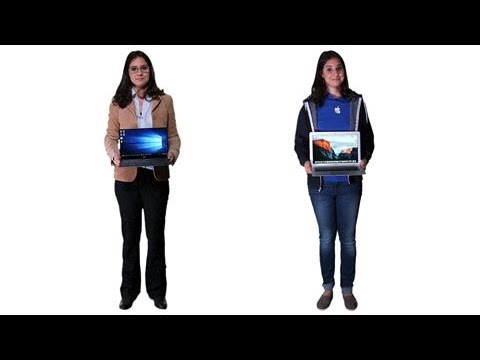
What I can address, however, is whether they are overpriced junk, or even if they’re overpriced at all. While they certainly aren’t budget PCs, the so-called “Apple tax” has been effectively eliminated and the price for most Apple devices is actually quite comparable to their Windows counterparts. For example, if you compare the MacBook Air to higher-end, light-weight, ultra-slim Windows laptop like the Lenovo Yoga 3 Pro, you’ll see that the price is actually quite comparable. The Mac Mini is another great example, as prices between it and comparable units from Dell and others are pretty similar.

To Protect Yourself From Vulnerabilities, Use Firefox/Safari/Chrome/IE


defend your online privacy and security
“X” Browser being safer than “Y” browser is a comparison that really doesn’t have much to do with the consumers who use it. Browsers are simply an execution environment for JavaScript, and as such they’re all equally at risk to exploits and attacks. It’s also important to note that most browser-based attacks are through browser add-ons and plug-ins, not the browser itself.

Linux vs. Windows

Linux vs. Windows


Users who are considering making a change from Windows to Linux or Linux to Windows commonly want to know the advantages and disadvantages of each of the operating systems. Below is a chart to help illustrate the major advantages and disadvantages of each of these operating systems.


Topic Linux Windows
Price The Linux kernel, and the GNU utilities and libraries which accompany it in most distributions, are entirely free and open source. You can download and install GNU/Linux distributions without purchase. Some companies offer paid support for their Linux distributions, but the underlying software is still free to download and install. Microsoft Windows usually costs between $99.00 and $199.00 USD for each licensed copy. However, Windows 10 is being offered as a free upgrade to current owners of Windows 7 or Windows 8.1 if they upgrade before July 29, 2016.
Ease Of Use GNU/Linux operating systems have a steeper learning curve for the average user. They frequently require a deeper understanding of the underlying system to perform day-to-day functions. Additionally, troubleshooting technical issues can be a more intimidating and complicated process than on Windows. However, some distributions such as Ubuntu and Linux Mint are designed specifically to ease the transition from Windows to a Linux environment. Windows is one of the easiest desktop operating systems to use. One of its primary design characteristics is user friendliness and simplicity of basic system tasks. Its ease lack of difficulty is considered a positive by users who want their system to just work. However, more proficient users may be frustrated by oversimplification of system tasks at the expense of fine-grained control over the system itself.
Reliability Linux is notoriously reliable and secure. It has a strong focus on process management, system security, and uptime. Although Microsoft Windows has made great improvements in reliability in recent years, it's considered less reliable than Linux. Many of the sacrifices it makes in the name of user-friendliness can lead to security vulnerabilities and system instability.
Software There thousands of programs available for Linux, and many are available as easy-to-install software packages — all for free. Also, many Windows programs can be run on Linux using compatibility layers such as WINE. Linux supports a wider array of free software than Windows. Windows commands the highest number of desktop users, and therefore the largest selection of commercial software. It also has the largest selection of video games by a wide margin.
Software Cost Many of the available software programs, utilities, and games available on Linux are free and open source. Even complex applications such as GIMP, Open Office, and Star Office are available for free. Although there are many free Windows programs, utilities, and games, the majority of the programs are commercial.
Hardware Fifteen years ago, Linux struggled to support new hardware. Manufacturers often considered Linux support a secondary concern (if they considered supporting it at all). Furthermore, device drivers for Linux were created only by enthusiasts who devoted their own time and resources to making Linux compatible with new hardware. Since then, the Linux user base has grown exponentially. Today, the majority of hardware manufacturers give Linux support the same priority as Microsoft Windows. Windows has a massive user base, so it would be madness for a consumer hardware manufacturer not to support Windows. As a Windows user, you can rest assured that your operating system is compatible with any hardware you might buy.
Security Linux is a highly secure operating system. Although attack vectors are still discovered, its source code is open and available for any user to review, which makes it easier to identify and repair vulnerabilities. Microsoft has made great security improvements over the years. But as the operating system with the largest user base, especially among novice computer users, it is the primary target for malicious coders. As a result, of all major operating systems, Microsoft Windows is the most likely to be the victim of viruses and malware.
Support There is a massive amount of online support available for Linux, including here on Computer Hope. Microsoft Windows offers integrated and online help systems, and there are thousands of informative books about Windows available for every skill level.
Use Cases Linux is used by corporate, scientific, and academic organizations of every size. It's used to power the development machines and servers at Google, Facebook, Twitter, NASA, and the New York Stock Exchange, just to name a few. On the desktop, it is used by technically proficient users who prioritize system security and reliability, and by enthusiasts who want to learn more about computers and how they work. It's also used to give new life to older hardware, enable low-budget computing projects to succeed, and serve as the operating system on single-board computers such as the Raspberry Pi. Microsoft Windows is usually the operating system of choice for gamers, novice users, and business users who rely on Microsoft software. It doesn't run well on older hardware, however. Many Windows users are thrilled with the changes that Microsoft has introduced with Windows 10, so if you've never used it, now is a great time to try it out.

Wednesday, 17 January 2018

Best Video Call Apps For Android Phone Over The Internet[Face To Face Communication]:

Video calling is the one of the excellent  2 ways face to face communication method over the internet, Compare to the voice call this video call making a very interesting moments. Using this android application, we are going to communicate with your parents, relations, friends or someone located anywhere in the world.Do you know about 2-way communication? 
 
best%2Bvideo%2Bcalling%2Bapp
The 2-way communication technology in video calling enables both audio and visual (video) interaction with others. Today the android developers were developed a lot of video calling apps Here I will share what are the best video call apps available in the google play with free of cost. More important feature of using video calling apps is to make the meeting with office people, who working in different locations. Also, assume if you are located in some other countries, you will not possible to see the relations frequently at that time we would like to see anyone in this world by using the best video call apps is helpful for you. 

8 Best Video Call Apps For Android Mobile[Free]: 

  • Skype 
  • IMO
  • We chat
  • Viber 
  • Friend caller
  • Qik
  • Fring
  • Cam frog

Skype:

skype
The most popular and all are well known the best video call apps are Skype video apps. In this century, million of people using this android calling apps enable to chatting with anyone in this world. The Charming feature of the best video call apps sends the message to anyone in the fraction of seconds. And also make free voice calls easily than you can find the recent contact information and history of chatting conversion. In another case the receiver does not have any the internet connection, the chatting application enables to only low cost for your conversion from your main account balance. Using this chatting apps, you can learn the language and share the story with anyone.

IMO:

imo
The next free text and video call apps available in this play store are IMO android calling apps. This is the best video call apps for enable to send the free text message and video calling is more easily. Compared to other video chatting apps, this IMO android calling apps enables to chatting with others by clicking a single tap to open the calling conversations.  The significant feature of using this best video call apps are to view all contact list that are using the IMO. If you  are using IMO chatting apps, It will automatically list who are using the IMO app. 

We chat:

we%2Bchat
The next wonderful the best video call apps are we chat android calling apps. The unique feature of this We Chat application is to support all kinds of a platform such as windows, android, Blackberry OS, Symbian and also enable to chatting different platform. This best video call apps can provide the features such as a video conferencing, video calling, text conversion, sharing your photos and album with others, walkie talkie, stickers, trace the location of friends, etc. The we chat android calling apps is more popular because its enable a better quality of video and voice calling while your data connection also slow. If you want to like  with the group chat you can choose the best video call apps WeChat.

Viber:

viber
In the Android Google play store, Viber is getting free of cost. The amazing feature of the android calling apps is you can make a conversation without any noise. And also it enables to create the group, the maximum participants in the group up to 200. If you want to add, delete, edit contact and message conversion it will be done by group admin. Using the best video call apps, you can chat with your friends both audio and voice calling, Also share your voice recording, play games, share the story, album, photos, etc. The version of Viber 5.0 introduces the QR code that enable to share the details to new one participant just scanning that QR code they know your details easily. I think Viber is the one of the best video calling apps 

Friend Caller:

friend%2Bcaller
To make the voice call over IP (VoIP) this Friend Caller app was specially designed. The Friend Caller is the best video calling apps that provide the following features like free video calls, phone calls, and message chatting over Voice over Internet protocol. The advanced feature of this android calling apps is, you want to chat with more than one participant at the same time called as multi-point video conferencing. The maximum participants in the video conferencing are up to 7 participants. You can make the international call with the mobile phone and landline with minimum cost and also call to the participants in the friend caller group with free of cost. It's more secure android calling apps available in Google play.

Qik:

qik
The Qik is first video android calling app was developed for making good video conversations. In initial version of the Qik video call app is lite versions support only to make the video call, text conversion over the Wi-Fi connection. But nowadays many versions of the Qik android calling apps available in Google play with free of cost.  The Qik is related to Skype apps designed for group chatting. Next features of the Qik android calling apps easily create the group from your mobile contacts and chat with them more securely. If you want communicated with other based on the GPS location and also possible to views visitors’ information in the browser window.This is one of the best video call apps in android. 

Fring:

fring
Next we are discussing the best video calling apps are Fring app. The android calling apps specially designed only for group chatting. The total number of participants in this group is 4.At this same time the 4 participants view in a single screen. The options available in the best video call apps is you can send the text, video call, play game anything within your Fring group friends. The app that based on DVQ (Dynamic Video Quality) technology. That name implies that it does adjust the quality of video automatically based on the internet connection (slow, fast, dead). Based on the above technology, it provides the high quality of video chatting. The best video call apps that designed for all smartphones device supported to all kind of mobile network.

Cam frog:

cam%2Bfrog
The last best video call apps in my list are Cam frog video chat apps. Using this app, you can speck to anyone in a fraction of seconds. You also find the nearby people by your friends chat groups. Another one important feature is to send the instant message to all participants who are available in online. The android calling apps specially designed for android mobile and tablets. It provides clear video calling enable to adjust the setting automatically. You want to chat with other more securely; the option will be available in the best video call apps. The paid version of android calling apps  was also available.

Features for the best video call apps:

Video call
Voice chatting
GroupVideo Calling
Sharing photos
Screenshots
Play game

Some other  best video call  apps android:

o Pal talk video chat
o Yahoo messenger
o Oovoo video calling apps
o Tango
o Hangouts
o Meet me
o Moco
o Bee Talk
o Azar


Finally, I concluded video calling is the amazing 2-way communication to share  our thoughts with anyone in the world. I was given some what are the best video call apps available and their feature. I hope this information helpful for all us.Thank you.

Top Interesting Websites for Who Wants To Gain Their Knowledge From Websites

We all know today world is connected with networking by using the internet. we may call as internet world. From this world, there is more information gathered from lots of websites. All the people do not know about all the websites details for where we are going to search the content from related sites, but you want to choose the top interesting websites for gain the knowledge. Nowadays there are many search engines are available like google, ask me, yahoo etc. 

Image result for interesting websites
This type of search engines are like our libraries and the websites are like a book. if you are going to search particular books from the library, you can easily get your data from that library. But, it will take time for searching the data and get confusion for the new users. Today, most of the people don't know what is inside the internet and they are waste their times. For that people, I will give some Top Interesting Websites for making your time useful.


Top Interesting Websites For You

Documents Related sites

documents
www.pdfescape.com –  Using this site you can easily edit your PDF documents with the browser itself.
www.minutes.io –  Taking the quick notes at important meetings and save automatically to the database.
www.onlineocr.net –This is one of the best converting  your documents like pdf to word etc.
www.viewer.zoho.com – From browser itself you can view your PDF files and your presentation files in anywhere.
www.myfonts.com/WhatTheFont – Its the site for view font name from an image from my fonts database.
www.google.com/webfonts – There are a number of your open source font will be contained in this sites.
www.typewith.me – While you are working in a multitasking you can share one document to all others.
www.translate.google.com – This is the URL link for translating your text to another language.the language may you can choose at running time.
www.privnote.com – This is the special link to create your text notes that will be destructed at  after read it.
www.tagmydoc.com – It will show you the day to day issues from your documents what you created.
www.notes.io – One of the easiest way for writing your short notes on the browser window itself.
www.copypastecharacter.com – This URL is mainly used for the copy your special character what you needed that means the characters not presented in your keyboards.
www.office.com – Before you access this site you must create Microsoft email account. This is used for download document templates, clip arts and images for while create our Office documents.

Email 

email
www.scr.im – You are afraid about spam/.Use this link you can share your email address without issue.
www.spypig.com –If you want read receipts for your email you can use this spypig and get your receipts.
www.alertful.com – This is one of the sites which is used for setup your email reminders and  important events from your calendar.This is one of the fastest methods for remembering.
www.livestream.com – Using this live stream you can share your all events and desktop contents all over the web.
www.join.me – you can share your screen with anyone who are in join.me.
www.marker.to – You can highlight your important things of the web.
www.lmgtfy.com – For a great change to using your own google search.
www.feedmyinbox.com – Get your email newsletter from RSS feeds.
www.ge.tt – This is the one of the file sharing methods for sharing files to someone, and also they can view it before your download starts.
www.pipebytes.com – You never yet seen this site where you transfer your  files with any size without  any uploading events from any server.
www.ctrlq.org/html-mail – Sending your  largest mail content  to anyone over the web.

Photographic

photography
www.kuler.adobe.com –This is fully designed for getting more colors extra colors from photographic events.
www.liveshare.com – This is the special site you ever seen to share our pictures in an album instantly.
www.regex.info – You may know about encoding and decoding with using hidden format here you can find your data hidden in the pictures go to EXIF tools for more details.
www.xc.hu – Free download  your stock images fro china people.
www.sumopaint.com – This is one of the image editor URL.You can  edit your images with layer by layer approaches.
www.73.zoom.it – For viewing high-resolution images from your browser window.
www.ctrlq.org/screenshots – You need to perfect screenshots from mobile and your desktops? then go to this link and take your screen shots.


Websites

websites
www.gtmetrix.com – This is one of the tools for identifying the performance of your own sites.
www.downforeveryoneorjustme.com – If you want to find out your favorite website in offline?then choose this link.
www.similarsites.com – Find out your similar websites by typing your main websites what you like already.
www.safeweb.norton.com – To check the trust level of your own websites.
www.ewhois.com – This is the site that you can find the websites name of a person by using reverse Analytics lookup.
www.whoishostingthis.com – To find out  the hosting of any website from all over the web.
www.woorank.com – Researching the websites by using  the SEO methodologies. .
www.pancake.io – Using a Dropbox account you have to create a free website compare to other websites it simple for creating your own website.
www.deadurl.com – Its very useful while your bookmark web pages are deleted.
www.builtwith.com –This site is mainly used to  find the technology stack of websites.
www.builtwith.com – find the technology stack of any website.
www.qClock.com – To find the local time of a city by using a Google Map time zone location.

Audio and Video

audio%2Band%2Bvideo
ww.screenr.com – If you want to record your desktop event videos and send them into YouTube.
www.midomi.com – Using this sites you can easily search the name of songs.
www.tubemogul.com – This is the uploading sites which upload your videos to YouTube.
www.youtube.com/leanback – You can easily watching the YouTube videos in TV channel mode
www.mixlr.com – Telecast the audio file over the web by using mixlr.
www.aviary.com/myna – You can do anything in online by editing your audios and remix the audio clips online.
www.timerime.com – Create an account and set the timelines with audio, video, and images.
The above top interesting websites was changed your way of technology updates and I hope this all sites are very useful for us.if you don't get the information click on the link you can copy and paste it into the google page.

Social Networking Sites in India: The Most Popular

Social Networking sites in India generate a huge amount of traffic compared with other countries, but it’s not just population density that equates for this traffic.
India is without a doubt becoming one of the most technologically active countries in the world, producing talented graduates in the fields of IT, Engineering, Programming, Data Analysis, among others.
Many developers, start-ups and tech companies have started expanding into this country due to their technological advancements.


Related image

This early-development of technology is the major reason India is known for being most active on social media. The number of users from India is growing exponentially as the internet becomes more accessible in both urban and rural areas.

These are the 10 most popular social networking sites in India:


10. WeChat

WeChat is a cross-platform instant messaging service developed by Tencent in China, first released in January 2011. It is one of the largest standalone messaging apps by monthly active users.
Related image

9. Instagram

In 2012, Instagram was bought by Facebook for around $1 billion and doubled its base of monthly active users in India during the period between September 2015 and September 2014, reported the Economic Times.
Related image


8. Google Plus

Google Plus has been slowly increasing and upgrading its features in the last few years. The positive thing about the social networking site is it allows you to customize and organize people and interests into “circles”.

Image result for g+ logo

7. Hike Messenger

Hike Messenger is a cross-platform instant messaging service for smartphones that uses the internet for communication. In addition to text messaging, users can send each other graphical stickers, emoticons, images, videos, audios, files, voice messages, contacts and user location.
Image result for hike logo

6. Twitter

The famous site that promoted micro-blogging continues to grow and become more active. This is the go-to site for all users whether it’s celebrities or organisations. The simple interface has appealed to a lot of people and the website shows no signs of decline.
Related image

7. Skype

Skype allows users to communicate over the Internet by voice using a microphone, by video using a webcam, and by instant messaging. Skype-to-Skype calls to other users are free of charge, while calls to landline telephones and mobile phones (over traditional telephone networks) are charged via a debit-based user account system called Skype Credit.
Image result for skype logo


4. LinkedIn

This website caters to the business and professional community and is one of the most active in India. A lot of people are registering and using the website. LinkedIn provides the opportunity for users to build their business profile with important factors such as experience, education, and business networks.
Image result for linkedin logo

3.Facebook Messenger

Facebook messenger (sometimes abbreviated as Messenger) is an instant messaging service and software application which provides text and voice communication.
Image result for fb messenger logo

2. Whats app

In May 2014, WhatsApp crossed 50 million monthly active users in India, which is also its largest country by the number of monthly active users. In October 2014, WhatsApp crossed 70 million monthly active users in India, which is 10% of its total user base (700 MM).
Image result for whatsapp logo


1. Facebook

The most popular social networking site in the world is also number one in India. Ever since the rise of Facebook, more and more users have been creating their accounts. It is now the fastest growing website in the country and third most visited behind Google.
Image result for fb logo
From these 10 most popular sites, we are able to draw a conclusion that residents of India prefer to use technology that connects them to others. Whether that’s through instant messaging services, free call services or social networking websites. India is a fast-growing country that’s soon to take over the social media scene.

Tuesday, 16 January 2018

Android Secret Codes, Hidden Menu, and Dialler Codes


Every Android user is an explorer. They love to explore every nook and cranny of their beloved devices. This is why we share a fascination with the Android secret codes and hidden secret menus.
We are going to list a ton of dialer codes that will do just about everything you can think of regarding Android diagnostics. Manufacturers don’t want certain options available to the normal users, and frankly, that’s a good idea. But if you want more control and power over your Android, read on and try some of these great Android secret codes.
Image result for android secret code
Smartphone manufacturers tend to keep the technical stuff away from the common users. They don’t want to confuse or overburden normal people with a bucket load of options. Thankfully, both Android OS developers and smartphone manufacturers tend to keep hidden menus accessible via dialer codes.
There are some codes that are universal and are supported by almost any Android smartphone

Some of the dialer codes are exclusive to manufacturers and may not work on all models for all carriers.

I’ll be listing them all in separate sections, so if you want to get codes that work on Samsung devices, you can just get over to that section and start having fun.
A point to be noted here is that some of the codes are a bit extreme. Some of them wipe your entire smartphone and factory reset it, so be cautious while inputting them. Read the description and then go on a code entering spree. That being said, let’s start with some great Android secret codes, hidden menu and dialer codes.

Android Common Codes

Description Code
Testing Menu *#*#4636#*#*
Display Info about device                            *#*#4636#*#*
Factory Restore                                                *#*#7780#*#*
Camera Information                                                          *#*#34971539#*#*
Completely Wipe device, install stock firmware *2767*3855#
Backup all media files *#*#273283*255*663282*#*#*
Wireless LAN Test *#*#232339#*#* OR *#*#526#*#*
Change Power button behavior *#*#7594#*#*
Quick GPS Test *#*#1472365#*#*
Test mode for service activity *#*#197328640#*#*
Wi-Fi Mac Address *#*#232338#*#*
Another GPS test *#*#1575#*#*
Packet Loopback Test *#*#0283#*#*
Audio Test *#*#0673#*#* OR *#*#0289#*#*
Vibration and Backlight test *#*#0842#*#*
Check touch screen version *#*#2663#*#*
LCD test *#*#0*#*#*
Touch Screen test *#*#2664#*#*
Proximity sensor test *#*#0588#*#*
RAM version *#*#3264#*#*
Bluetooth test *#*#232331#*#*
Field Test *#*#7262626#*#*
Check Bluetooth device address *#*#232337#*#
Google Talk service monitoring *#*#8255#*#*
PDA, Hardware, Phone and RF Call Date info *#*#4986*2650468#*#*
PDA and Phone firmware check *#*#1234#*#*
FTA hardware version *#*#2222#*#*
FTA software version *#*#1111#*#*
Displays IMEI number *#06#
Enables voice dialing logging mode *#*#8351#*#*
Disables voice dialing logging mode *#*#8350#*#*
Brings up Epst menu ##778 +call
Displays Build time and change list number *#*#44336#*#*
Remove Google account setting *#*#7780#*#*
Reinstall the firmware *2767*3855#
Used to enter into Service mode *#*#197328640#*#*
Battery Status *#0228#
Data create menu *#273283*255*3282*#
Data usage status *#3282*727336*#
OTA update menu *#8736364#
RF band selection *#2263#
Diagnostic configuration *#9090#
USB 12C mode control *#7284#
USB logging control *#872564#
Debug dump menu *#746#
System dump mode *#9900#
Shows Build time change list number *#*#44336#*#*
NAND flash serial number *#03#
Real time clock test *#0782#
Light sensor test *#0589#
Quick test menu *#7353#
Execute from Emergency dial screen to unlock PUK code **05***#

Samsung Secret Codes

   
Display IMEI number *#06#
Display current firmware *#1234#
Diagnostic and general settings mode #*#4636#*#*
Factory soft reset *#*#7780#*#*
To display product code *2767*4387264636#
GPS test settings *#*#1472365#*#*
Service mode main menu *#*#197328640#*#*
SW & HW Info *#12580*369#
Bluetooth Address *#232337#
ADC Reading *#0228#
RF Band Selection *#2263#
Ciphering Info *#32489#
Bluetooth Test Mode *#232331#
Diagnostic Configuration *#9090#
WLAN Test Mode *#232339#
Vibration motor test *#0842#
WLAN MAC Address *#232338#
USB I2C Mode Control *#7284#
Audio Test Mode *#0673#
General Test Mode *#0*#
USB Logging Control *#872564#
GCF Configuration *#4238378#
Real Time Clock Test *#0782#
Audio Loopback Control *#0283#
LBS Test Mode *#3214789650#
GPS Control Menu *#1575#
RIL Dump Menu *#745#
Data Create Menu *#273283*255*3282*#
Proximity Sensor Test Mode *#0588#
Camera Firmware Update *#34971539#
Light Sensor Test Mode *#0589#
WLAN Engineering Mode *#526#
Debug Dump Menu *#746#
NAND Flash S/N *#03#
Software Version Info *#44336#
System Dump Mode *#9900#
Data Create SD Card *#273283*255*663282*#
Data Usage Status *#3282*727336*#
TSP / TSK firmware update *#2663#
Remap Shutdown to End Call TSK *#7594#
Camera Firmware Menu *#7412365# and *#*#34971539#*#*
WLAN Engineering Mode *#528#
Melody Test Mode *#0289#
OTA Update Menu *#8736364#
Test History *#07#
HSDPA/HSUPA Control Menu *#301279#
Quick Test Menu *#7353#
View Phone Lock Status *#7465625#
Auto Answer Selection *#272886#

HTC Secret Codes

Description Codes
Device information program #*#4636#*#*
Field Test *#*#7262626#*#*
HTC Function Test Program *#*#3424#*#*
Display Software version *#*#1111#*#*
Display hardware version *#*#2222#*#*
Wi-Fi Mac Address *#*#232338#*#*
Bluetooth Mac Address *#*#232337#*#
GPS Test *#*#1472365#*#*
GPS Test 2 *#*#1575#*#*
Bluetooth test *#*#232331#*#*
Display test *#*#0*#*#*
Touch Screen version *#*#2663#*#*
Touch Screen Test *#*#2664#*#*
Debug UI #*#759#*#*
Factory format *2767*3855#

These were some of the most common hidden secret codes for Android devices. I would advise caution while using these codes, though, some of them can be a bit harmful to your device.
Just like always, if you have any questions or problems regarding these codes, feel free to talk to us in the comments.

Pro Tips to Use Chat GPT Effectively with Examples (Part 2)

In part 1 of our blog post Click for part 1 , we covered some pro tips to help you use Chat GPT effectively. In part 2, we'll go over mo...