

How to Recover Deleted File without using any Software?
For example, let’s assume that you have permanently deleted “My Sweet Heart.JPG” from the folder named “My LIFE”, and now you want to recover “My Sweet Heart.JPG” back. Do this simple trick to recover your Sweet Heart.JPG
- Go to the folder “My LIFE” and right click on it.
- Select “Restore previous versions”.

- Now, you will see an option to recover the folder.
- If you don’t see “Restore Previous Versions” by Right Clicking, Go to Control Panel to turn on the System Protection.
- Then click on System & Security > System> System Protection (on the left side bar).

- Available drives with corresponding protection will be shown.
- Select a particular drive and click on configure.
- Click on “Restore system settings and previous versions of files” and Click on “OK”.
- That’s all, now you will see an option to recover the particular file.
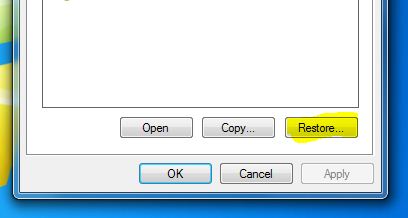
- Your deleted file is restored again.


Surender Tech - Blogger: How To Recover Deleted File Without Using Any Software >>>>> Download Now
ReplyDelete>>>>> Download Full
Surender Tech - Blogger: How To Recover Deleted File Without Using Any Software >>>>> Download LINK
>>>>> Download Now
Surender Tech - Blogger: How To Recover Deleted File Without Using Any Software >>>>> Download Full
>>>>> Download LINK iy