
Technologies made easier with suren
Monday, 27 November 2017
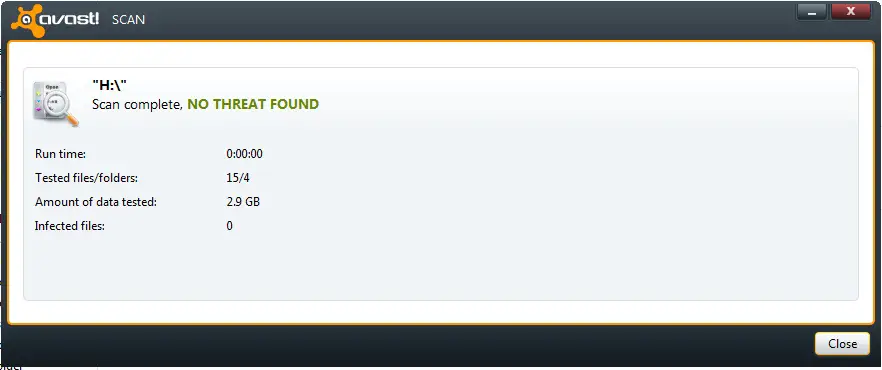
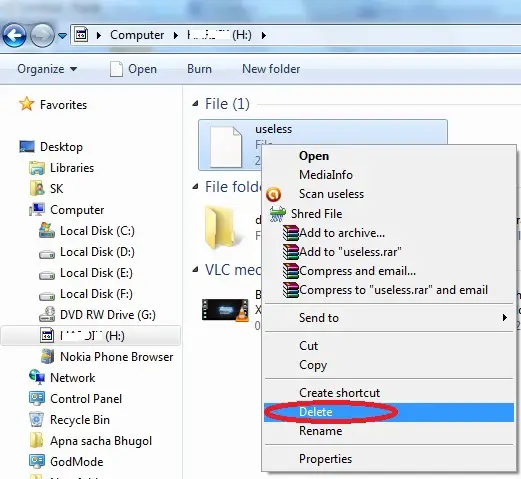
HOW TO REMOVE VIRUS WITHOUT ANTIVIRUS

Tuesday, 21 November 2017
How To Boot The Pendrive/USB Drive without software

You can able to make your Pendrive bootable in a couple of minutes. However, you can able to use Windows vista, 7 and 8. without any type of software You can’t able to use it with Windows 10. It is very simple to do follow the steps carefully.
- First Open Command Prompt as an Administrator.
- After opening CMD, enter this command disk part then press enter key
- Then it will show you some information about your PC. After you should have to enter another command list disk then press enter key
- Now, it will show about connected disks. Then enter next command there select disk 1(keep in mind there is only one pendrive is attached to the computer),then press enter key
- you must clean your drive, so enter new command there clean then press enter key
- Until the Step5,just it is initizating, now the real task begin...,Enter command create partition primary,then press enter key it will create a partition in the selected Pendrive.
- Enter new command here select partition 1 then press enter key and then enter another command active and then press enter key to activate the partition.
- Now format your USB Drive by Enter this command format fs=fat32 quick or format fs=ntfs quick and press enter key You can able to see progress in percentage.
- Enter this command assign and hit enter, Then type exit for ending disk management program.
- The last step is that you have to copy all windows files to USB Drive.

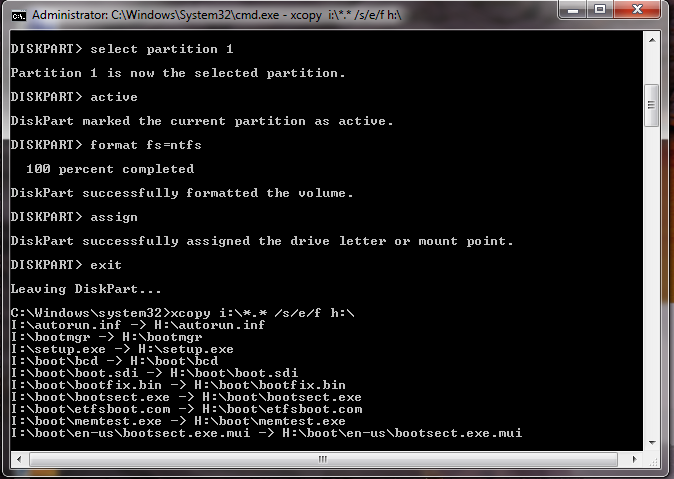
Thats all you pendrive became bootable!!!!!!
Sunday, 19 November 2017
Top 5 Best Websites To Download Free Softwares
Top 5 Best Websites To Download Free Softwares
Are you insearch of free software in secured website,Then you must visit the following sites,they are most secured and trusted websites around the internet
Top 5 Best Websites:
- FileHippo
- BrotherSoft
- Softonic
- Cnet
- Filehorse
1. FileHippo – Download Free Software
A well-known and a trust worthy website from where we can download the software for our PC. You will get software of almost all categories. If you have an old system which you have inherited from your elder brother or sister then too you can get software for earlier versions. All the software that is available on File Hippo are cross checked and are 100% free from malware. In terms of services, File Hippo has over 3,409,286,063 successful downloads and this mark is increasing rapidly every second. Along with this, every 6 minutes File Hippo runs a process to update and malware.

Click here for Free software download from FileHippo:-http://www.filehippo.com
2. BrotherSoft – Free Software Download
To spread the brotherhood this website is there as it provides you several free software. This website was initially launched to provides software for PC only but a few months earlier BrotherSoft had added the option to get Apk files too. Over 800,00 Apk files are there on the BrotherSoft server. Along with this, there are thousands of free and paid software for your PC or MAC. From BrotherSoft site, software is easy to download and you will not any virus or malware with the files. BrotherSoft is regularly rechecking its server in case they have any errors then it could be resolved. Users can download the software and can get the access to a treasure of several other software by just creating an account on Brothersoft.

Click here to download software from Brothersoft:-http://www.brothersoft.com
3. Softonic – Best Software Download
You might have heard the name of a software provider Softonic. Softonic is our third nominee in the list of Top 5 Website to Download Software for PC. Similar to BrotherSoft, Softonic was also designed to help the PC users but now it is a great platform that provides Apk for the Android devices. Softonic provides you software that is free of cost and it will give you trial versions of Paid Softwares too. One requirement that Softnic asks from you, is that you have to create an account. Along with this Softonic adds up news software at a regular period of time so that it can help its users to walk with the change in technology. However, this website is available in 8 different languages to help the PC users all over the world.

4. Cnet for PC Software
Another website that can help you to download software for your PC. It’s a huge collection of almost all types of software for your PC and Mac. This website also provides you some mobile application that runs on several operating systems including Android and IOS. Along with this user can download software for your iPod. Cnet Database Is regularly updating and it keeps even old version software too. Cnet is a trust worthy website and you will only get the safe and secure software to use on your System.

5. Filehorse – Windows Software Download
The last software provider on our list to get free download software for PC is Filehorse. This website appears to be very simple and light. FileHorse is a big website that contains hundreds software of different category for different platforms of computers. FileHorse is updating their database every day, every hour. All the software that you will get on FileHorse are 100% spyware free and didn’t contain any harmful file. You can share the software on Social Network sites like Facebook, Twitter or Instagram. Servers of FIleHores are so responsive and fast that you can download the software at a very high speed without any interruptions.
Try it,I damn sure you can enjoy!!!!!!....
Saturday, 18 November 2017
How to Recover Deleted File without using any Software

How to Recover Deleted File without using any Software?
For example, let’s assume that you have permanently deleted “My Sweet Heart.JPG” from the folder named “My LIFE”, and now you want to recover “My Sweet Heart.JPG” back. Do this simple trick to recover your Sweet Heart.JPG
- Go to the folder “My LIFE” and right click on it.
- Select “Restore previous versions”.

- Now, you will see an option to recover the folder.
- If you don’t see “Restore Previous Versions” by Right Clicking, Go to Control Panel to turn on the System Protection.
- Then click on System & Security > System> System Protection (on the left side bar).

- Available drives with corresponding protection will be shown.
- Select a particular drive and click on configure.
- Click on “Restore system settings and previous versions of files” and Click on “OK”.
- That’s all, now you will see an option to recover the particular file.
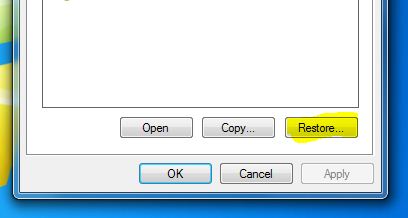
- Your deleted file is restored again.

Subscribe to:
Comments (Atom)
-
In today's digital age, having an online presence has become essential for businesses and individuals alike. However, setting up a websi...
-
The costs of setting up and maintaining a website can add up quickly. Designing, developing and maintaining a site all need outlay of o...
-
In part 1 of our blog post Click for part 1 , we covered some pro tips to help you use Chat GPT effectively. In part 2, we'll go over mo...
-
If you live in an English-speaking country and purchased a PC at your local retailer or online, chances are you are running an English v...
-
Laptop or PC running slow? Here’s what you can do Slow laptop or computer? Before you go out and get a shiny new one, ...
-
 How to Recover Deleted File without using any Software? For example, let’s assume that you have permanently deleted “My Sweet Heart....
 -
Everyone is getting more concerned about the issue of Internet security especially when making transactions via mobile. VPN (Virtual Privat...
-
 1. The first computer mouse was made with wood in 1964 by Doug Engelbart. 2. 30,000 websites are hacked every day. 3. T...


